Cue Importer
Overview
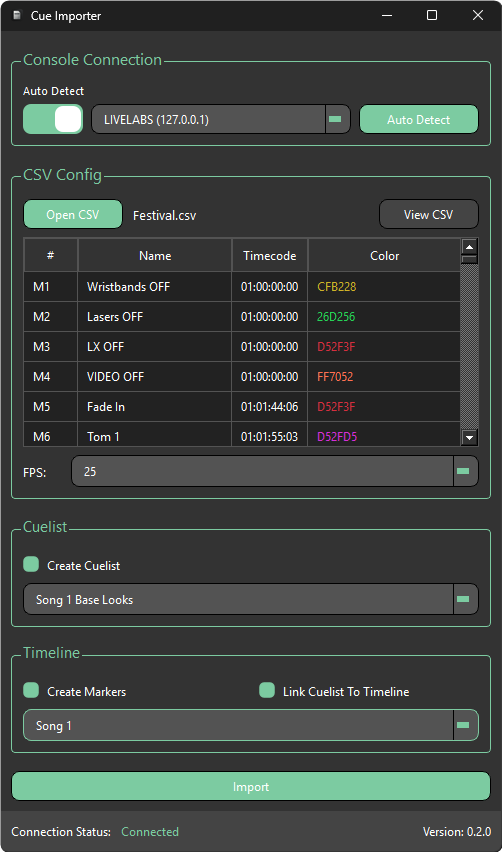
Cue Importer takes a CSV file exported from Reaper or Cuepoints and injects it into an empty cuelist in Avolites Titan. Cue names and timings can be reviewed and edited within the app before the import is committed.
info
It is important to create your cuelist and/or timeline in Titan before connecting. However, if you have already connected, you can press Auto Detect again or Refresh to update the lists with any newly created cuelists and/or timelines.
info
A new timeline is not required — Cue Importer will work with an existing timeline and create a new track within it if needed.
Typical workflow
- Create an empty cuelist and/or timeline in Titan
- Connect Cue Importer to your Titan console
- Open your CSV file
- Select the target cuelist and/or timeline in Titan
- Review and edit cue names and timings as needed
- Click Import to inject the cues and/or timeline markers into Titan